主播一开始是想知道邮件有没有被阅读,所以试用了一下网易邮箱的邮件追踪功能,结果居然不便宜,为了白嫖于是vibe了下面这个玩意,我的评价是能用,还能知道除了自己和收件人还有谁看过邮件,挺好用的
💡 核心思路:
利用Canarytokens的web bug的邮件通知功能,在邮件以 的形式植入一个1x1像素大小的不可见图片,这样就可以在有人打开邮件的时候,自动加载这个图片,从而访问Canarytokens的链接,然后触发警报邮件的发送,让我们能够知道是否有人看到了这幅邮件,还能看见查看者的ip和设备User Agent,非常好用
目前主流的邮件追踪也差不多是这个原理
✨ 适配网易邮箱
网易邮箱是一个典型的单页应用(SPA),页面元素的 ID 会动态变化,而且编辑器是嵌套在 iframe 中的。为了让体验达到极致,脚本解决了以下痛点:
1. 动态注入原生级 UI 按钮
为了免去每次都要点开油猴菜单的繁琐操作,脚本会自动在网易邮箱写信界面的顶部工具栏(“发送”、“存草稿”、“取消”旁边)注入一个【✨ 生成追踪代码】的快捷按钮。
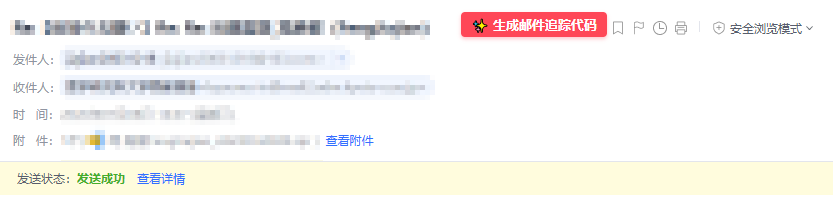
2. 跨 iframe 样式穿透
富文本编辑器通常运行在独立的 iframe 里,主文档的 CSS 对其无效。脚本通过定时器遍历页面上的 iframe,安全地将高亮 CSS 注入到 contentDocument 中。
3. 自动获取邮件标题
把邮件标题以?mail_track_title=邮件标题的形式加在img链接后面,这样就可以在警报邮件里知道是哪篇邮件了
示例如下
<img src="http://canarytokens.com/terms/about/traffic/此处为自己链接的标识/index.html?mail_track_title=邮件标题" />
🚀 安装与使用
第一步:获取基础追踪链接
- 访问 Canarytokens (或自建节点)。
- 选择 Web bug / URL token。
- 填入接收提醒的邮箱,生成 Token。
- 复制生成的 HTTP 链接(这就是你的基础链接)。
第二步:安装油猴脚本
新建一个 Tampermonkey 脚本,将下方代码复制进去即可:
1
2
3
4
5
6
7
8
9
10
11
12
13
14
15
16
17
18
19
20
21
22
23
24
25
26
27
28
29
30
31
32
33
34
35
36
37
38
39
40
41
42
43
44
45
46
47
48
49
50
51
52
53
54
55
56
57
58
59
60
61
62
63
64
65
66
67
68
69
70
71
72
73
74
75
76
77
78
79
80
81
82
83
84
85
86
87
88
89
90
91
92
93
94
95
96
97
98
99
100
101
102
103
104
105
106
107
108
109
110
111
112
113
114
115
116
117
118
119
120
121
122
123
124
125
126
127
128
129
130
131
132
133
134
135
136
137
138
139
140
141
142
143
144
145
146
147
148
149
150
151
152
153
154
155
156
157
158
159
160
161
162
163
164
165
166
167
168
169
170
171
172
173
174
175
176
177
178
179
180
181
182
183
184
185
186
187
188
189
190
191
192
193
194
195
196
197
198
199
200
201
202
203
204
205
206
207
208
209
210
211
212
213
214
215
216
217
218
219
220
221
222
223
224
225
226
227
228
229
230
231
232
233
234
235
236
237
238
239
240
241
242
243
244
245
246
247
248
249
250
251
252
253
254
255
256
257
258
259
260
261
262
263
264
265
266
267
268
269
270
271
272
273
274
275
276
277
278
279
280
281
282
283
284
285
286
287
288
289
290
291
292
293
294
295
296
297
298
299
300
301
302
303
304
305
306
307
308
309
310
311
312
313
314
315
316
317
318
319
320
321
322
323
324
325
326
327
328
329
330
331
|
(function() {
'use strict';
const highlightCSS = `
/* 追踪像素红点样式 */
img[src*="canarytokens.com"],
img[src*="canarytokens.org"],
img[src*="mail_track_title"] {
display: inline-block !important;
width: 8px !important;
height: 8px !important;
background-color: #ff3333 !important;
border: none !important;
border-radius: 50% !important;
box-shadow: 0 0 8px 3px rgba(255, 51, 51, 0.8) !important;
visibility: visible !important;
opacity: 1 !important;
margin: 0 4px !important;
vertical-align: middle !important;
cursor: pointer !important;
}
/* 快捷生成按钮基础样式 */
.canary-quick-btn {
font-size: 13px !important;
color: #fff !important;
background-color: #ff4757 !important;
border: none !important;
border-radius: 4px !important;
cursor: pointer !important;
box-shadow: 0 2px 4px rgba(255,71,87,0.3) !important;
font-weight: bold !important;
transition: background 0.2s, box-shadow 0.2s, transform 0.1s !important;
font-family: system-ui, -apple-system, sans-serif !important;
z-index: 2147483647 !important;
display: inline-block !important;
text-align: center !important;
}
.canary-quick-btn:hover {
background-color: #ff6b81 !important;
box-shadow: 0 4px 8px rgba(255,71,87,0.5) !important;
}
.canary-quick-btn:active {
transform: scale(0.96) !important;
}
/* 读信模式 (跟随标题同行显示) */
.canary-btn-inline {
padding: 4px 10px !important;
vertical-align: middle !important;
margin-left: 12px !important;
}
/* 写信模式 (顶部工具栏模式) */
.canary-top-btn {
/* 高度和边距贴合网易原生按钮 */
height: 32px !important;
line-height: 32px !important;
padding: 0 16px !important;
margin-left: 10px !important;
vertical-align: top !important;
}
`;
function applyCanaryAttributes(doc) {
if (!doc) return;
const images = doc.querySelectorAll('img[src*="canarytokens.com"], img[src*="canarytokens.org"], img[src*="mail_track_title"]');
images.forEach(img => {
const isEditable = img.isContentEditable || doc.designMode === 'on';
if (!isEditable) {
if (img.getAttribute('title') !== '邮件追踪标记,仅自己可见') {
img.setAttribute('title', '邮件追踪标记,仅自己可见');
}
} else {
if (img.hasAttribute('title')) {
img.removeAttribute('title');
}
}
});
}
function injectQuickButton() {
const h1Subject = getVisibleElement('h1[title="邮件标题"]');
if (h1Subject && !h1Subject.hasAttribute('canary-btn-injected')) {
const btn = document.createElement('button');
btn.className = 'canary-quick-btn canary-btn-inline';
btn.innerHTML = '✨ 生成邮件追踪代码';
btn.title = "快速生成 Canarytokens 邮件追踪像素";
btn.onclick = (e) => {
e.preventDefault();
e.stopPropagation();
runWebBugWorkflow();
};
h1Subject.insertAdjacentElement('afterend', btn);
h1Subject.setAttribute('canary-btn-injected', 'true');
}
const spans = document.querySelectorAll('.nui-btn-text');
let cancelBtn = null;
for (let i = 0; i < spans.length; i++) {
if (spans[i].textContent.replace(/\s+/g, '') === '取消') {
const btnWrapper = spans[i].closest('.nui-btn');
if (btnWrapper && btnWrapper.getBoundingClientRect().width > 0) {
cancelBtn = btnWrapper;
break;
}
}
}
if (cancelBtn && !cancelBtn.hasAttribute('canary-btn-injected')) {
const btn = document.createElement('button');
btn.className = 'canary-quick-btn canary-top-btn';
btn.innerHTML = '✨ 生成邮件追踪代码';
btn.title = "快速生成 Canarytokens 邮件追踪像素";
btn.onclick = (e) => {
e.preventDefault();
e.stopPropagation();
runWebBugWorkflow();
};
cancelBtn.insertAdjacentElement('afterend', btn);
cancelBtn.setAttribute('canary-btn-injected', 'true');
}
}
function domGuard() {
if (!document.getElementById('canary-css-main')) {
const style = document.createElement('style');
style.id = 'canary-css-main';
style.textContent = highlightCSS;
document.head.appendChild(style);
}
applyCanaryAttributes(document);
injectQuickButton();
document.querySelectorAll('iframe').forEach(iframe => {
try {
const doc = iframe.contentDocument;
if (doc) {
if (!doc.getElementById('canary-css-iframe')) {
const style = doc.createElement('style');
style.id = 'canary-css-iframe';
style.textContent = highlightCSS;
doc.head.appendChild(style);
}
applyCanaryAttributes(doc);
}
} catch (e) {}
});
}
setInterval(domGuard, 1500);
function getOrSetBaseUrl(forceReset = false) {
let url = GM_getValue('canary_base_url');
if (!url || forceReset) {
let input = prompt(
'【第一步:设置基础追踪链接】\n请粘贴 Canarytokens 的基础 URL:',
url || ''
);
if (input === null) return null;
input = input.trim();
if (input && input.startsWith('http')) {
GM_setValue('canary_base_url', input);
url = input;
} else {
alert('链接格式不正确,必须包含 http 或 https 开头。');
return null;
}
}
return url;
}
function getVisibleElement(selector) {
const elements = document.querySelectorAll(selector);
for (let i = 0; i < elements.length; i++) {
const rect = elements[i].getBoundingClientRect();
if (rect.width > 0 && rect.height > 0) {
return elements[i];
}
}
return null;
}
function autoGetSubject() {
let subject = "";
const neteaseH1 = getVisibleElement('h1[title="邮件标题"]');
if (neteaseH1 && neteaseH1.innerText) subject = neteaseH1.innerText.trim();
if (!subject) {
const neteaseInput = getVisibleElement('input.nui-ipt-input[maxlength="256"]');
if (neteaseInput && neteaseInput.value) subject = neteaseInput.value.trim();
}
if (!subject) {
const gmailInput = getVisibleElement('input[name="subjectbox"]');
if (gmailInput && gmailInput.value) subject = gmailInput.value.trim();
}
return subject;
}
function showControlPanel(trackUrl) {
const imgTagHtml = `<img src="${trackUrl}" />`;
const existingPanel = document.getElementById('canary-control-panel');
if (existingPanel) existingPanel.remove();
const panel = document.createElement('div');
panel.id = 'canary-control-panel';
panel.style.cssText = `
position: fixed; top: 50%; left: 50%; transform: translate(-50%, -50%);
background: #ffffff; padding: 20px; border-radius: 12px;
box-shadow: 0 10px 40px rgba(0,0,0,0.2); z-index: 2147483647;
width: 420px; font-family: system-ui, -apple-system, sans-serif; color: #333;
`;
panel.innerHTML = `
<h3 style="margin: 0 0 10px 0; font-size: 18px; color: #2c3e50;">🔗 追踪代码已生成</h3>
<p style="margin: 0 0 15px 0; font-size: 13px; color: #7f8c8d; line-height: 1.5;">
粘贴到正文后,本地将自动识别并显示为带提示的 <b>发光红点</b>。<br/>
</p>
<textarea readonly style="
width: 100%; height: 50px; margin-bottom: 15px; font-size: 12px;
border: 1px solid #dcdde1; border-radius: 6px; padding: 8px;
box-sizing: border-box; resize: none; background: #f5f6fa; color: #2f3640;
">${imgTagHtml}</textarea>
<div style="display: flex; gap: 10px; margin-bottom: 10px;">
<button id="btn-copy-html" style="
flex: 1; padding: 12px; background: #20bf6b; color: white;
border: none; border-radius: 6px; font-weight: bold; cursor: pointer;
transition: background 0.2s;
">复制为 富文本<br><span style="font-size:11px; font-weight:normal;">(直接在正文按Ctrl+V)</span></button>
<button id="btn-copy-code" style="
flex: 1; padding: 12px; background: #4b7bec; color: white;
border: none; border-radius: 6px; font-weight: bold; cursor: pointer;
transition: background 0.2s;
">复制为 源码<br><span style="font-size:11px; font-weight:normal;">(适合 HTML 模式)</span></button>
</div>
<button id="btn-close-panel" style="
width: 100%; padding: 10px; background: #f1f2f6; color: #576574;
border: none; border-radius: 6px; cursor: pointer; font-size: 14px;
">关闭窗口</button>
`;
document.body.appendChild(panel);
document.getElementById('btn-copy-html').onclick = () => {
GM_setClipboard(imgTagHtml, 'html');
panel.remove();
};
document.getElementById('btn-copy-code').onclick = () => {
GM_setClipboard(imgTagHtml, 'text');
panel.remove();
};
document.getElementById('btn-close-panel').onclick = () => {
panel.remove();
};
}
function runWebBugWorkflow() {
const baseUrl = getOrSetBaseUrl();
if (!baseUrl) return;
let autoSubject = autoGetSubject();
const promptMsg = autoSubject
? '已自动获取可见邮件标题,请确认或修改:'
: '未能自动获取,请输入当前邮件的标题:';
const subject = prompt(`【第二步:生成追踪代码】\n${promptMsg}`, autoSubject);
if (!subject) return;
const separator = baseUrl.includes('?') ? '&' : '?';
const trackUrl = `${baseUrl}${separator}mail_track_title=${encodeURIComponent(subject)}`;
showControlPanel(trackUrl);
}
GM_registerMenuCommand('✨ 生成邮件追踪像素', runWebBugWorkflow);
GM_registerMenuCommand('⚙️ 重置基础追踪链接', () => getOrSetBaseUrl(true));
})();
|
第三步:日常使用
现在打开网易邮箱,在写信或者回复界面的顶部,你会看到多出了一个红色的【✨ 生成追踪代码】按钮。
写完邮件后,点击它,确认邮件标题,然后点击“复制为富文本”,在正文结尾 Ctrl+V 粘贴即可。
你会在当前编辑器里立刻看到一个发光的红点
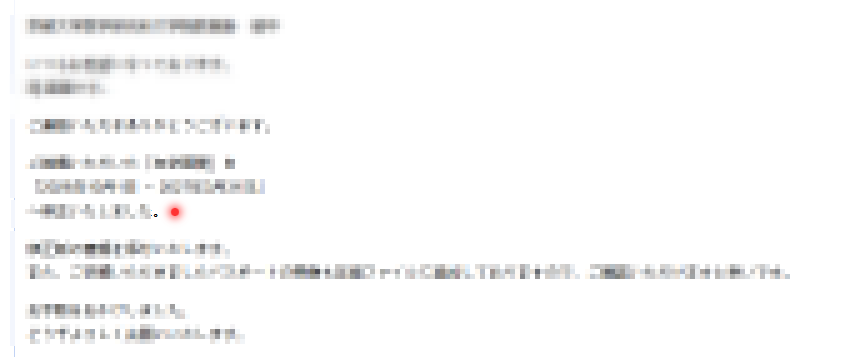
别怕孩子,这只是脚本为了让你确认注入成功而渲染在本地的特效。一旦对方打开邮件,Canarytokens 的服务端就会记录下 IP、时间与 UA 等信息,并推送到你的通知渠道。
不过现在的邮箱通常有代理图片链接的服务,打开的ip未必是真实的ip,而且对开启了代理的ip也无效
最大的作用还是只有确认对方已读()